Bulk Virtual Staging for Complete Property Listings
Upload a whole property's photos (up to 30 per batch on paid plans, 5 on the free plan), review AI-detected room labels, connect angles of the same space, and stage the complete listing in one saved project.
Try one photo free
Stage a single room right here, no account needed. Sign in when you want to stage a whole property in one go.
Upload a Room Photo
Automatically replace existing furniture
Room type
Furniture style
Additional Information (Optional)
Add disclosure label
No sign-up · 4K export included
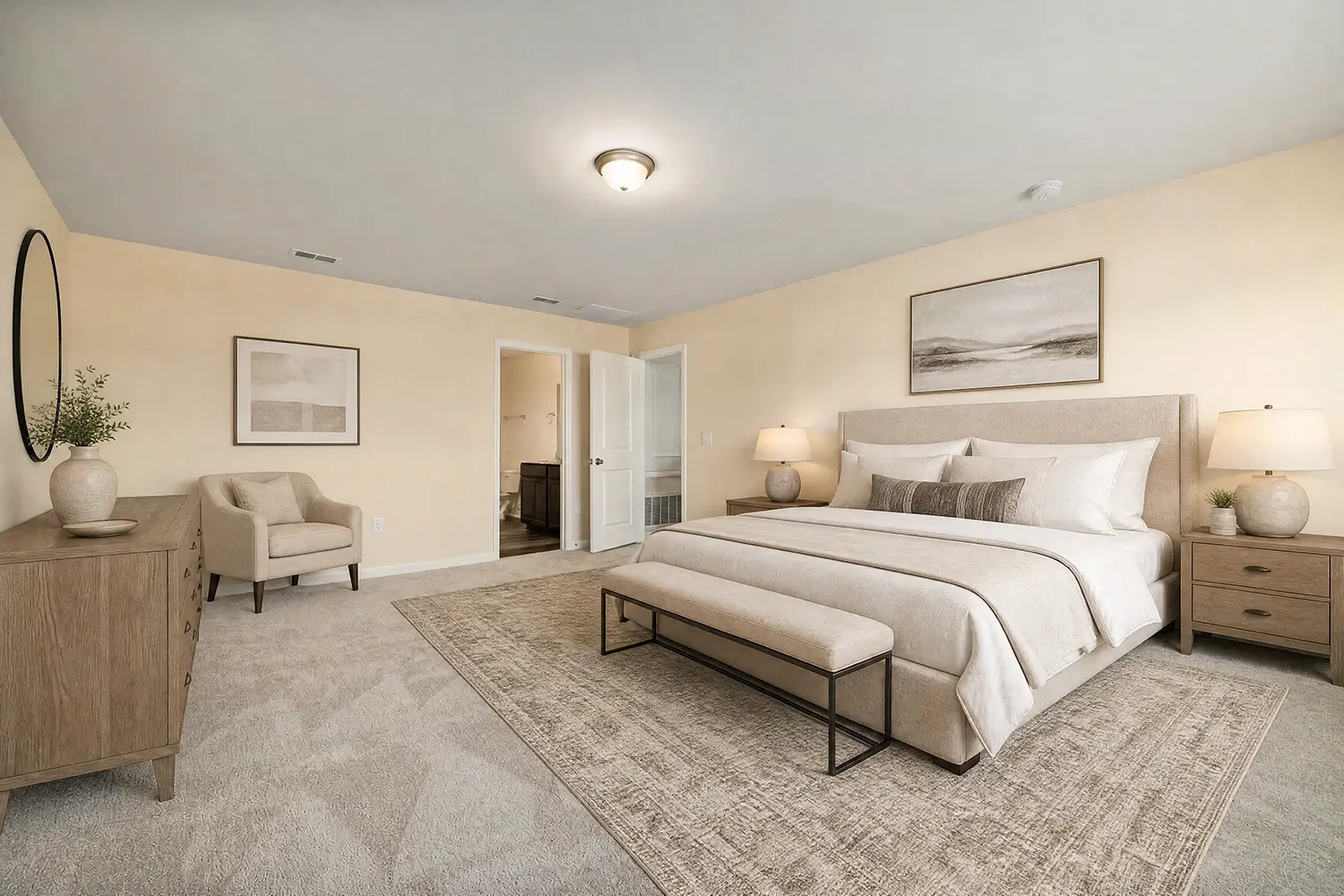
Switch room or style right on the image · 11 rooms, 8 styles
Sign in to build a complete listing batch
Your project is saved to your account, so you can leave while photos are processing, return to individual results, and download the property ZIP later.
A Full Listing That Reads Like One Property
Compare empty rooms with their staged results. Each image keeps the photographed architecture and camera position while the listing follows one furniture style.


Built for Complete Property Shoots
Three Advantages Built for Full Property Listings
Process an entire listing at once, export every finished image in 4K, and keep multiple angles of the same room visually consistent.
Photos in One Batch
High-Resolution Batch Export
Consistent Staging for the Same Room
Complete a Bulk Virtual Staging Project in 3 Steps
Upload one property, approve the room plan, then let each selected photo move through a saved generation queue.
Upload One Property's Photos
Approve Rooms, Angles, and Style
Generate, Retry, and Download
Control Every Photo Before the Batch Uses Credits
Roomood automates the repetitive work but leaves the listing decisions visible: which rooms to stage, which angles belong together, and which photos should be excluded.

Bulk Staging Workflows for Complete Property Galleries
Use a batch when the deliverable is a listing photo set—not a single room concept—and every source image must remain connected to its staged result.
Agents Preparing a Vacant Listing
Upload the rooms from one address, choose a buyer-friendly style once, and return to a complete staged gallery instead of processing each listing photo in a separate session.
Photographers Delivering Staged Add-Ons
Keep original filenames tied to their results, recover individual failures, and hand the client one organized ZIP alongside the unstaged shoot.
Brokerage Coordinators Managing Handoffs
Save work under a property name so the agent can start the batch and a coordinator can check progress, retry a photo, or collect the delivery later.
Property Managers Marketing Vacant Units
Stage the bedroom, living area, dining space, and office from one rental in a shared direction before publishing the unit across listing channels.
New-Construction Teams Showing Room Function
Give buyers scale and purpose across an empty completed unit while keeping bedrooms, living spaces, and work areas visually connected.
Editing Studios Processing Client Shoots
Review room labels before credits are reserved, keep every result tied to its source filename, and deliver one staged set without maintaining a separate production spreadsheet.
Bulk Virtual Staging Questions From Listing Teams
Direct answers about batch limits, room detection, multiple angles, image credits, supported files, MLS labels, failures, and ZIP delivery.
Bulk virtual staging lets you manage several room photos from one property as a single saved project. Use it when you need a coordinated listing gallery rather than one isolated staged image. Roomood keeps room review, style selection, generation status, retries, and the final ZIP connected to that property.
Paid plans upload up to 30 photos from one property in a single batch; the free plan allows 5 per batch. The number you can generate also depends on your available image-credit balance. Keeping one address per batch ensures room groups, settings, filenames, and the final ZIP remain unambiguous.
Roomood analyzes every upload and suggests a room type, but repeated labels are not grouped automatically. You confirm whether those photos show the same physical room or assign them to separate room groups. This review prevents two different bedrooms from accidentally sharing one furniture reference.
Roomood improves multi-angle continuity by staging an anchor view first and passing that result into the remaining views of the same room. The method gives the model a shared furniture direction, but generative AI cannot guarantee perfect three-dimensional placement from every camera position. Review each finished image before publishing it.
One selected photo reserves one image credit when the batch starts. Skipped photos and uploads that never enter generation are not charged. If a paid generation fails, Roomood returns that image credit automatically, and you can retry only the failed photo without regenerating the completed set.
Roomood accepts JPG, PNG, WebP, HEIC, and HEIF originals up to 30 MB each, then prepares them automatically for faster uploads. Clear, level room photos with visible walls, windows, and floors give the model the strongest spatial cues. Floor plans, exteriors, detail shots, bathrooms, and unreadable images may be skipped during review.
You can leave after the batch has started because the project and each photo's status are saved to your account. Open My Listing Batches later to see updated progress, retry a failed generation, or prepare the completed ZIP. Closing the tab does not cancel work already accepted for generation.
Choose an optional MLS disclosure label before generation, and Roomood applies that project setting to the staged delivery. Finished files retain a clear connection to their original filenames. When every selected photo reaches a final state, Roomood prepares one temporary ZIP link for the property.
Need help planning a listing batch? Contact our Customer Support Team


Built for the Photo Set Behind Every Property Listing
Roomood is a BMTech Nexus LLC product for agents, photographers, and property teams who need staged listing galleries with visible decisions, recoverable photo jobs, and an organized handoff.
Guides for Staging and Delivering Complete Listings
Read practical guidance on multi-angle staging, property-photo preparation, MLS disclosure, image credits, and organized real estate delivery workflows.


How Property Teams Use One Saved Listing Batch
Nine listing professionals describe the specific step that removes repeated uploads, uncertain handoffs, or loose staged files from their workflow.


Turn One Photo Set Into a Bulk Virtual Staging Project
Upload up to 30 photos from one property, approve the room plan, and let Roomood track every staged image through one saved project and one organized ZIP.