Landscape your yard from a photo
AI Landscape Design from a Photo of Your Yard
Upload a front yard or backyard photo and get a realistic landscaped version in under a minute — same house, same fence, same camera angle.
No sign-up · Free designs available
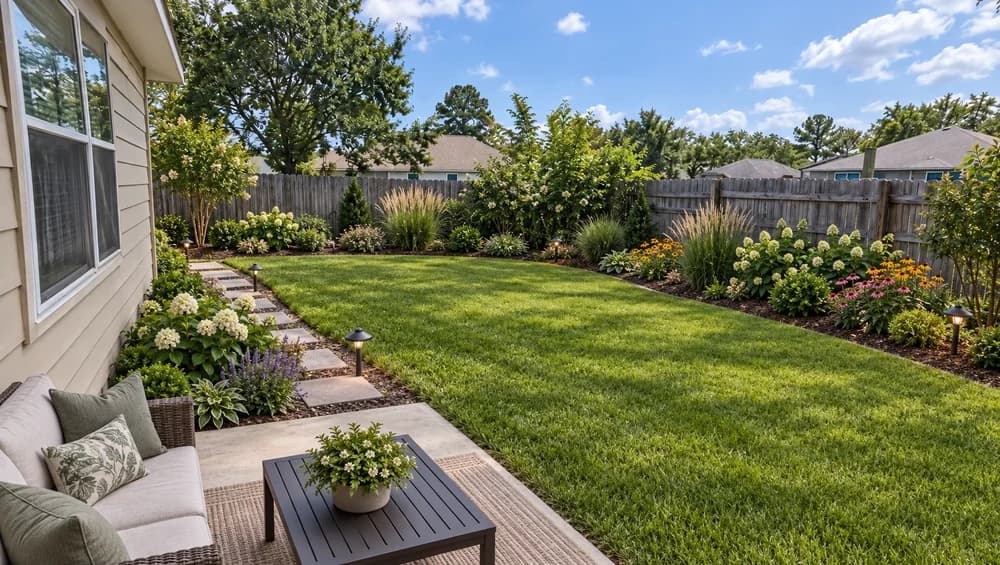
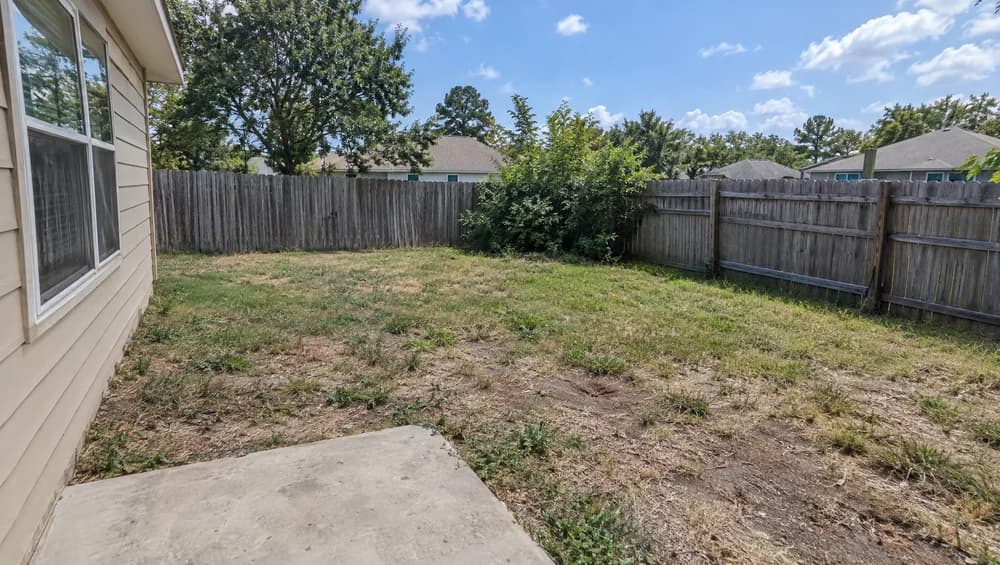
- Front Yards & Backyards
- Lawn, Beds, Paths & Patio
- House and Fence Stay the Same
- 4K Export Available
Upload Your Yard or Garden Photo
Additional Information (Optional)
Your AI-generated design will appear here
Upload an image to get started
Roomood Landscape Design by the Numbers
What one yard photo gets you
Roomood works as an AI landscape design generator for real property photos: one upload, one landscaped version of the same yard, ready to download or share.
Per Landscape Design
Export for Listings
Customer Service
How to Use AI Landscape Design in 3 Steps
From a plain yard photo to a landscaped version in about a minute.
Upload
Add Notes (Optional)
Generate & Download
AI Garden Design That Keeps Your Real Yard
A landscape visualizer that works on your own photo instead of a stock render.
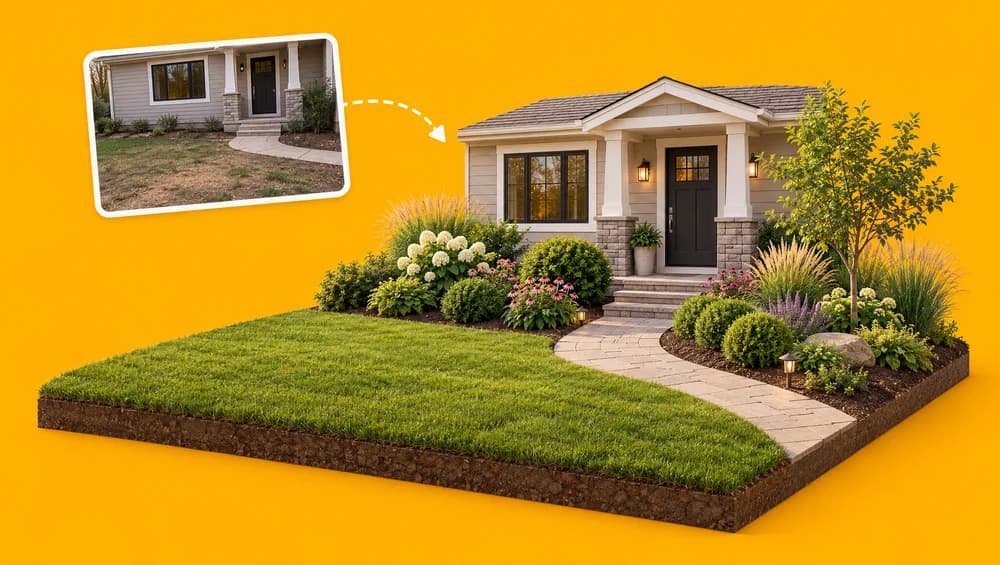
Who Uses AI Landscape Design on Roomood
From listing photos to weekend projects, one yard photo goes a long way.
Listing Photos with Curb Appeal
Agents show buyers what a bare or overgrown yard could become, without paying a landscaper before the sale.
First Concepts for Designers
Landscape designers who use AI for landscape design turn a client's phone photo into a first concept in under a minute.
Plan Before You Dig
Homeowners preview lawn, bed, and patio ideas before buying plants or booking hardscape work.
Your Style, in Your Words
Ask for a Japanese garden, a cottage garden, xeriscaping, or a fire pit area, and the AI garden planner works it into the same yard.
True to Your Property
Fences, house walls, and the camera angle stay where they are, so the design fits the yard you actually have.
Decide Together
Send a link to sellers, clients, or your partner and agree on a direction with a picture instead of a description.
Frequently Asked Questions
Everything to know about landscaping a yard photo with Roomood.
AI landscape design uses an image model to redesign the landscaping in a photo of your yard. Roomood keeps the house, fence, sky, and camera angle, and replaces the lawn, planting beds, paths, patio surfaces, outdoor furniture, and landscape lighting, so you see a realistic landscaped version of the same property.
Yes. Upload any outdoor photo of the property — a front yard facing the street, a fenced backyard, a side yard, or a garden — and the AI fits the lawn, beds, and paths to the shape it sees in the photo.
A daylight photo taken from standing height, with the whole yard and its edges in the frame, the way a buyer would see it. JPG, PNG, WebP, HEIC, and HEIF files up to 30 MB are accepted, and each design uses one photo.
Yes. Turn on the additional information field and describe what you want, for example 'Japanese garden with gravel and maples', 'drought-tolerant plants', or 'add a fire pit seating area'. Without notes, you get a balanced design with lawn, layered beds, and a path or patio.
It is instructed not to. The house, roofline, windows, doors, fences, boundary walls, driveway, neighboring buildings, sky, and the size of the yard are kept, and only the landscaping changes. If a detail you need has shifted, generate again — every run is a new version.
Your first landscape design needs no account. Sign up when you want to save results and generate more versions. Roomood runs in the browser on phones and computers, so there is no app to install.
Yes, agents use it to show a yard's potential. Because the new landscaping does not exist yet, label the image as a virtual rendering or show it next to the original photo, following your MLS and local advertising rules.
Roomood gives you a photorealistic picture of the finished yard, not a scaled drawing. Use it to agree on a direction quickly; for plant quantities, grading, drainage, or permits, work with a landscaper or a measured hardscape design plan.
Can't find what you're looking for? Contact our Customer Support Team


Meet the Team Behind Roomood
Roomood, a proud project of BMTech Nexus LLC, is built by a small team working directly with agents and real estate photographers to make virtual staging fast enough to fit a real listing schedule.
Virtual Staging Tips for Real Estate Professionals
Guides on virtual staging, MLS disclosure rules, listing photography and pricing your staging service.


Why Agents and Stagers Use Roomood
Feedback from professionals who use Roomood on real property photos.


Try AI Landscape Design on Your Yard
Upload a yard photo and get your first AI landscape design — no account required.